



Links, Uses, & More
I'm Here For Now
(These links are likely to change.)
Cool Places Around the Web
Looking For More?
Scroll down.
I want you to know that my taste is very cheap.
I prefer something cost-effective and accessible over the "correct" option.
If that still interests you, then...
This Is What I Use
Toys, Tech, and Gaming Consoles
(Custom strawberry field case & Meowtchi keychain.)
I have always been a happy Tamagotchi fan; the newer releases didn't interest me as much as my classic black Tamagotchi Music Star, but the Paradise was different. I don't know, I'm just obsessed with this thing. It stays on my desk at all times. I feed it twice a day.

An Xteink X4
(No customization. I hacked that sucker as soon as it got here.)
After avoiding buying an e-reader for many, many years, I caved as soon as I saw this thing. It's small, magnetic, and completely useless. It couldn't render images until I installed custom firmware for it. Has there ever been a better match for me? I don't think there is. Love at first sight.

Penelope
(Bootleg Vaporeon plushie.)
Purchased on Aliexpress. A physical vessel for the digital Pokémon of the same name, caught shiny at full odds during my playthrough of Crystal Clear. She lives on my Switch as the heal wall of my Pokémon Champions team.
Penelope 100 years. Penelope forever.
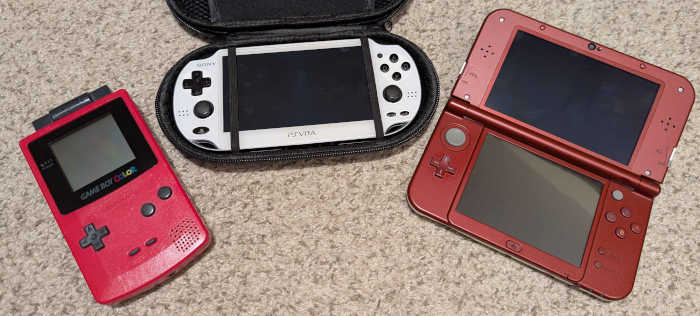
The Vita
(OEM Black 1000, OEM White screen/front panel.)
My Beloved New 3DS XL
(Better than a cheap IPS screen.)
(Backplates in white. New circle pad.)
Nothing could ever replace these for me. From left to right, these are for screen quality, raw power, and dual screen functionality. Together they can emulate any game ever made. (Okay, fine, that's not true. Just most games.)
I have an additional Game Boy Advance that has an original lightless screen, but the shell has some damage to it — eventually I will have that in clean working condition as well. Until then, these are my daily drivers for every console game released before 1996 (and many more after that).

There's a lot you can do with a CRT and a used TV stand.
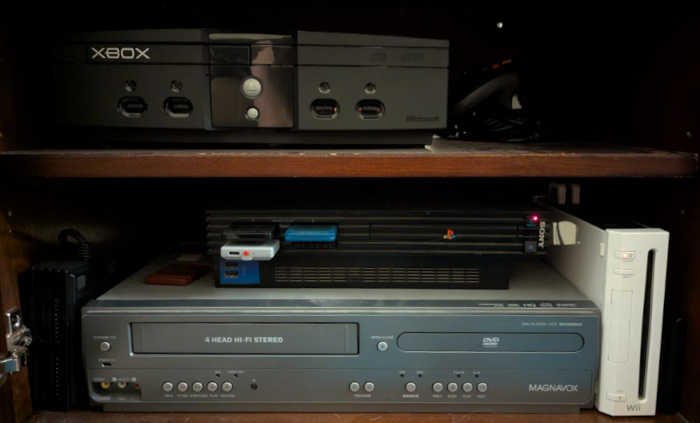
My own childhood Wii
(With a very big hard drive.)
(Well-used, modchipped in 2009.)
"The Monolith"
(PS2 running PSBBN off of an old SSD.)
And finally...
A Magnavox DV225MG9.
I would have more to say about these, but really, it just pays to have all of your options covered. The Xbox, PS2, and Wii are special consoles in the sense that they're frustrating to emulate. (It's not that you can't do it, but it's easier to just have the damn thing.) I used to watch anime on the PS2 & Wii.
If you can manage buying at least one of these three consoles, modding it and keeping it up to date with new custom firmware will have you set up for the rest of your life. I'm greedy, so I bought two. The Xbox is for my wife.
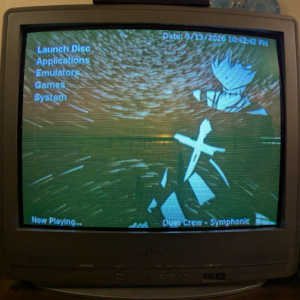
The Sharp 27" C-Series 240p CRT
Can I be honest here for a minute? I don't think that it matters what kind of CRT you have, just that you have a CRT. You should use whatever you've got. This is from my parents' basement.
It features the custom Xbox homescreen that I made. The tune of the Uplink OST is always so peaceful to me.
What I Use For Work
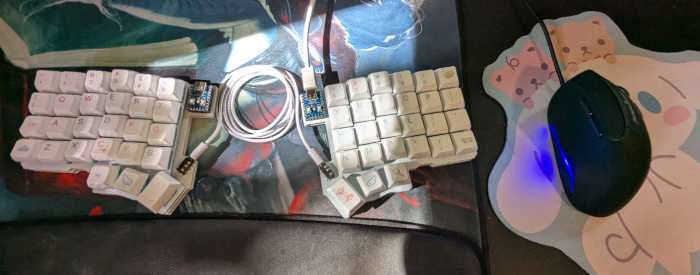
Caseless, built by hand using keycaps & switches from an Akko 5075B Cinnamoroll Edition. (You may notice that my desk has a bit of a theme.)
I got the desk mat from a local board game store.
It does not matter which one. Like split keyboards, all angled mice are better for your hands than standard flat mice — you need to find the one that fits your hand and your wrist. This one fits me just fine.
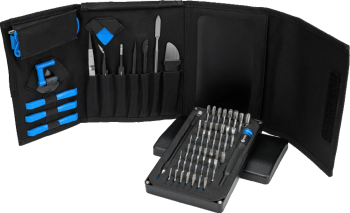
(I'm borrowing their picture for this.)
This is the pricey option, and I bought it because I like having sturdy tools. When I'm working with electronics I need all kinds of weird old screw bits and tweezers.
I have yet to find a job that this toolkit couldn't handle. That might just be me working in my own lane, but I've done everything from keyboards to motherboards to phones to, well, tamagotchis and old gaming consoles.
I hope I never need to buy another screwdriver after this.
A little bit of Software
I'm not married to it, but it works on both Windows and Linux. It's free, it doesn't crash when I feed it 200,000 words, and it saves all of my formatting for me. Even on Windows, it's a thousand times better than Microsoft Word.
This one I am married to. I started using GIMP when I was like 13 — can't afford an Adobe license at that age — and I've just never used anything else. All of the images on this page were edited with this. GIMP can't handle every file extension, though, which is why I use...
This is the VLC Media Player of image viewers, to me. Of special note is that it can very easily batch convert images into other kinds of images — an invaluable tool that I only need every once in a while.
Okay, I know, I said I was cheap. It's just that Aseprite has so many features that I use it basically every day — if it was feature complete with something like GIMP, I would never stop using it. All of my pixel art is drawn here.
So that I can sit still for hours without going insane. I have my personal music collection on an external local server, and foobar happily streams it directly to my work computer. Favorite band: The Mars Volta.
I use a few Websites, too.
These are all for inspiration and/or sources.
Okay, these are just for fun.
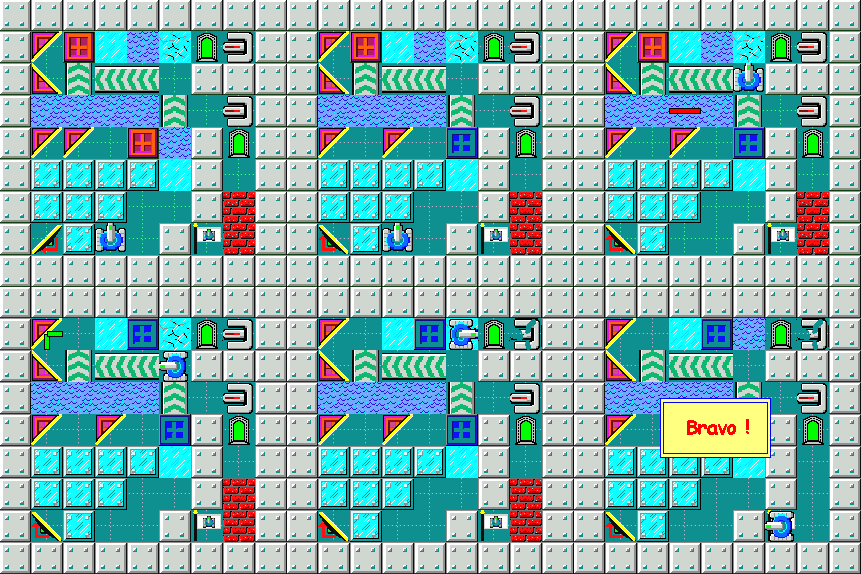
I don't know what it is about LaserTank that stuck with me all this time, but it must be affecting other people too, since they're still adding levels to it to this day. I don't know how that's possible. LaserTank-induced madness, I suppose.
Guess I'll keep sharing it around!
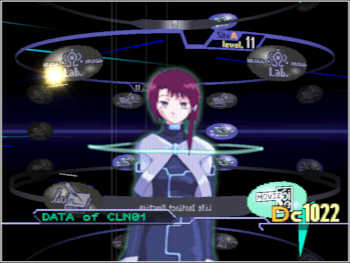
In the same vein as lainTSX, Yume Nikki Online takes an inaccessible game (the kind that requires LocaleEmulator) And makes it publicly available and easy to use. YNO takes it a step further and even lets you play Yume Nikki and a dozen of its fangames with your friends!
It's absolute magic. Please play it.
Finally, to create Waking World, I use...
I write all of my html and css by hand. (Yes, typing all of the tags over and over again.) There are ways to make this process easier, but they are not designed for Waking World, and I do not care to use them. This will be my text editor for the rest of my human life.
The blogging engine that actually allows me to write articles. Zonelets is baked into the core of the site even now; I wouldn't have even gotten off the floor if it weren't for Marina's work.
To create all of the dithered images I use as backgrounds on the site.
The standard I follow to make my website truly accessible.
Because I forget what the tags do when I type everything by hand. I would never have touched Javascript without this resource. On that note...
My preferred browser and the platform I use to test the website.
I had some help, too.
- sadgrl.online, whose incredible webmistress resources inspired me to start my own website in the first place, and for supplying me with the code for the original Theme Switcher.
- Spirit Cellar, who introduced me to zooming in on web elements when users mouse over them. (It will always be my favorite interaction.)
- Lynx, who wrote an amazing guide on responsive web design.
- Melon, whose website has been the gold standard to me for five years.
- The Yesterweb, whose manifesto became my concept of the Web Revival.
- My dad, who taught me to code, to laugh, to smile, and to be safe online.
- My mom, who inspired me to write, to love books, and to be my best self.
Thank you all so much.

And thank you for reading!
For more Waking Worlds, please return to the surface.